01 · Find
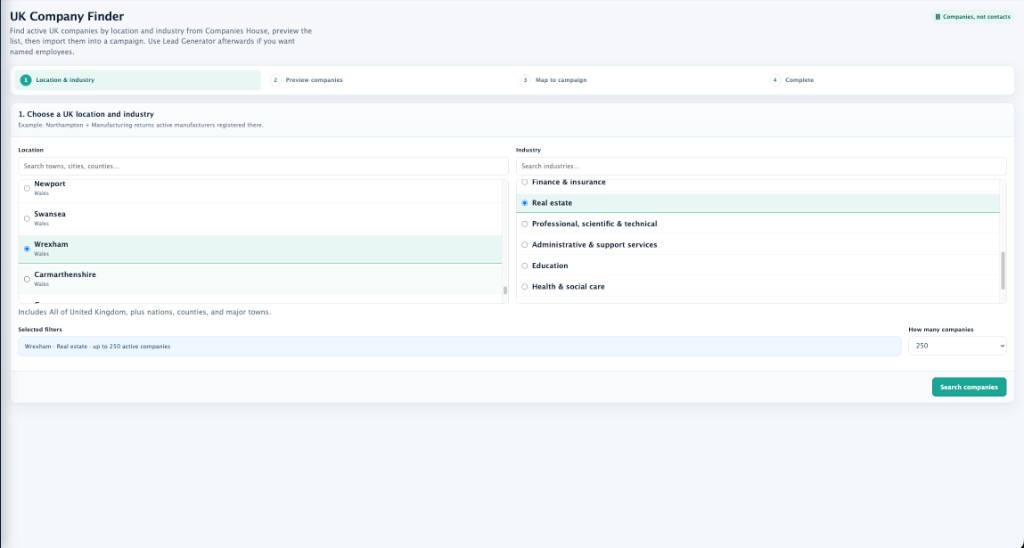
UK Company Finder
Pick a town and an industry. Preview active Companies House records, then bring the right businesses into a campaign.
- Search by location and sector
- Cap how many companies you want
- Review before anything is imported
Sales operating system
Dashboard SSPro is the CRM for teams that generate leads, book appointments, and run follow-ups from one place — not a pile of spreadsheets and inboxes.
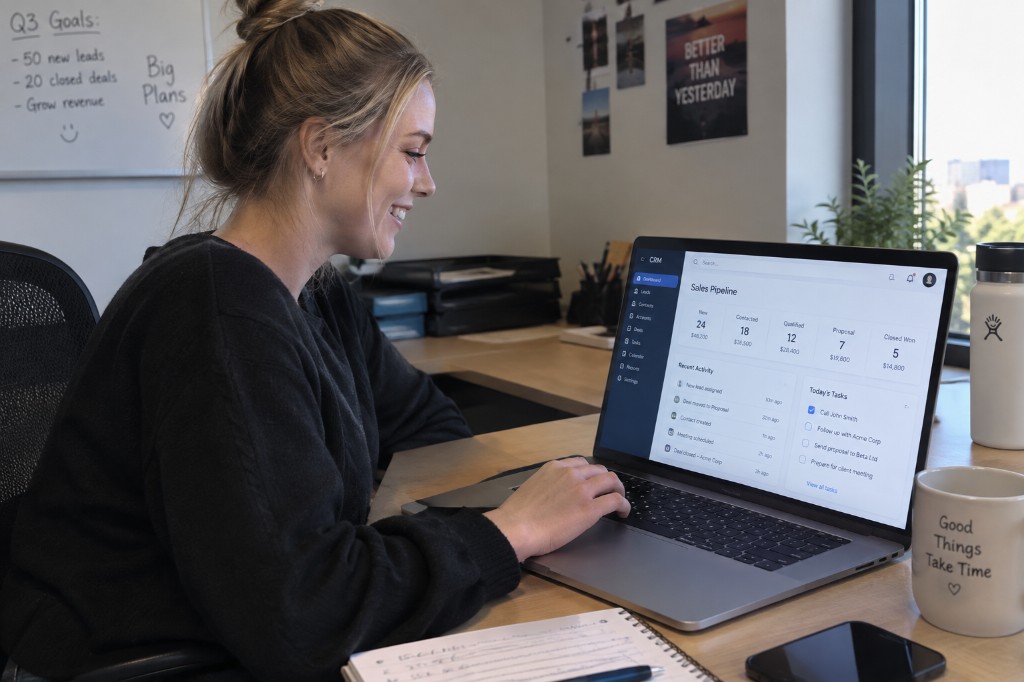
Built for outbound teams that need the next call, not another dashboard.
The work
From finding a company to booking the diary, every step stays on the same record.
01 · Find
Pick a town and an industry. Preview active Companies House records, then bring the right businesses into a campaign.
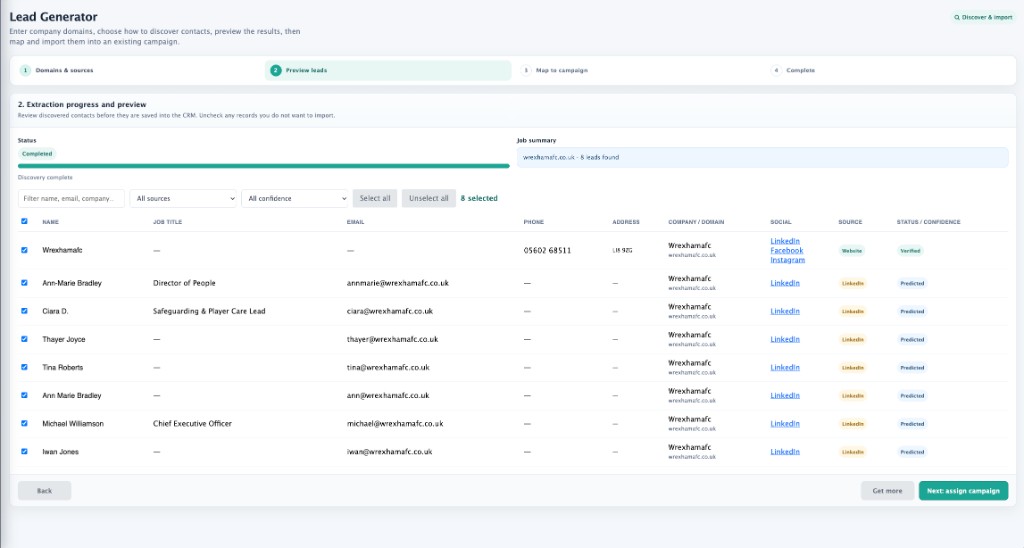
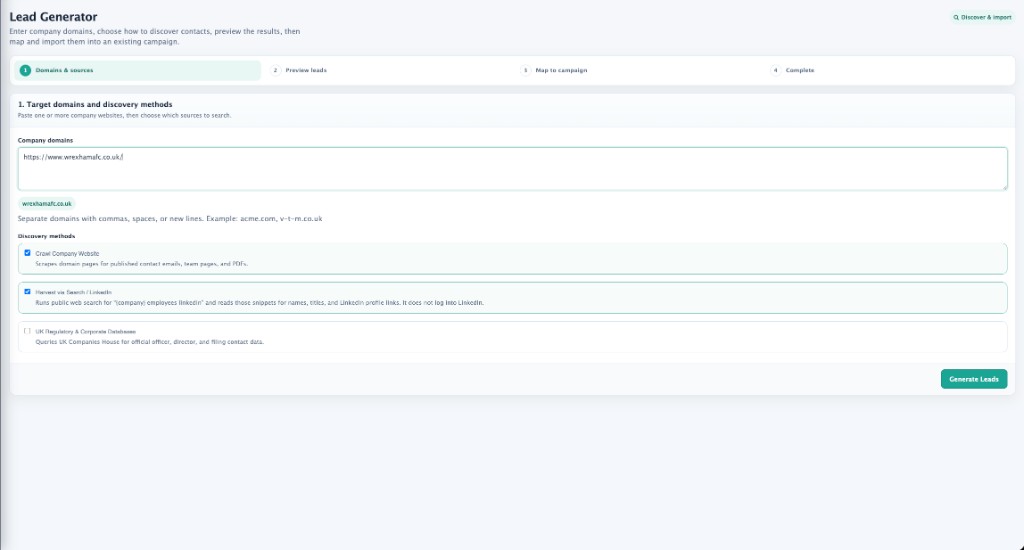
02 · Discover
Enter a company website, choose how to discover people, then preview names, titles, emails and sources before you import.
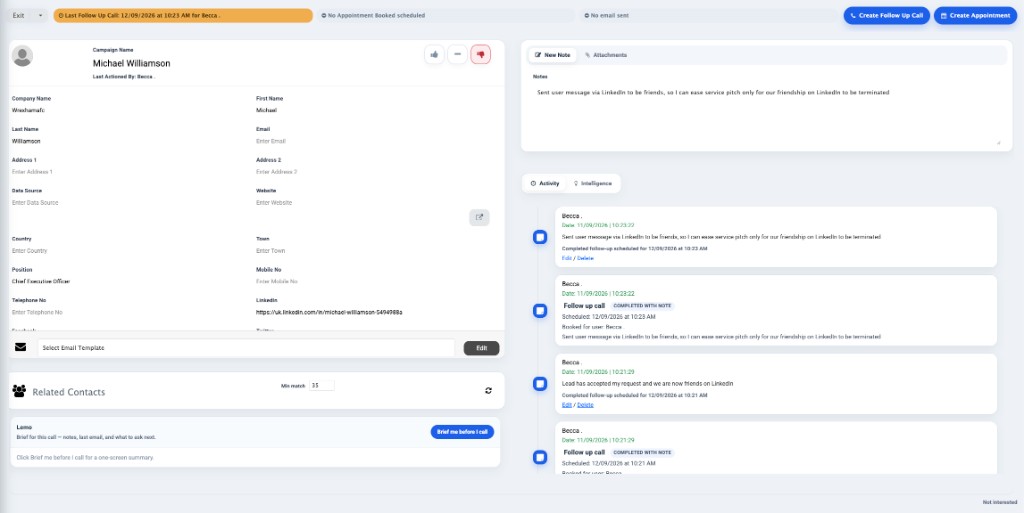
03 · Work the record
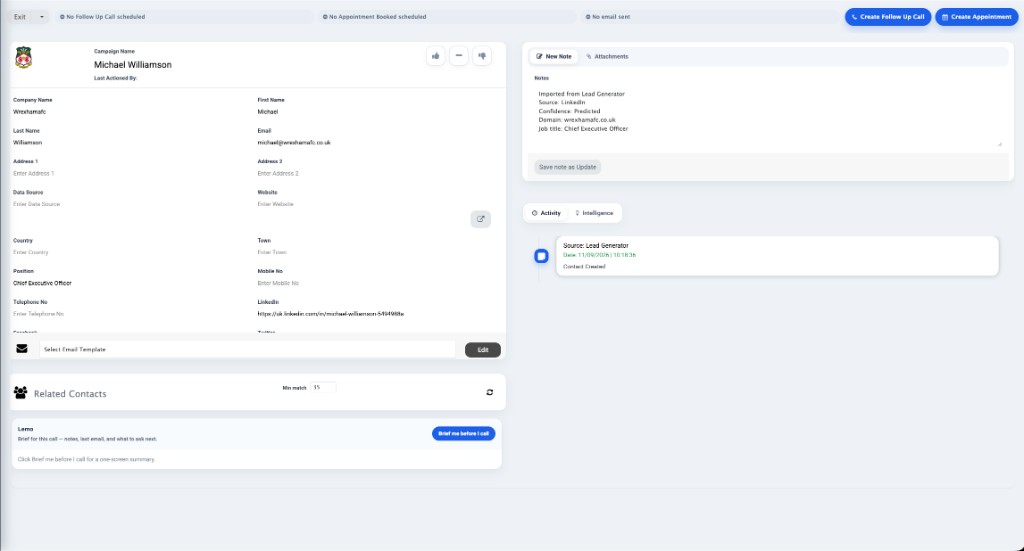
Company details, people, notes, email templates and activity sit together. Your team can see what was said and what happens next.
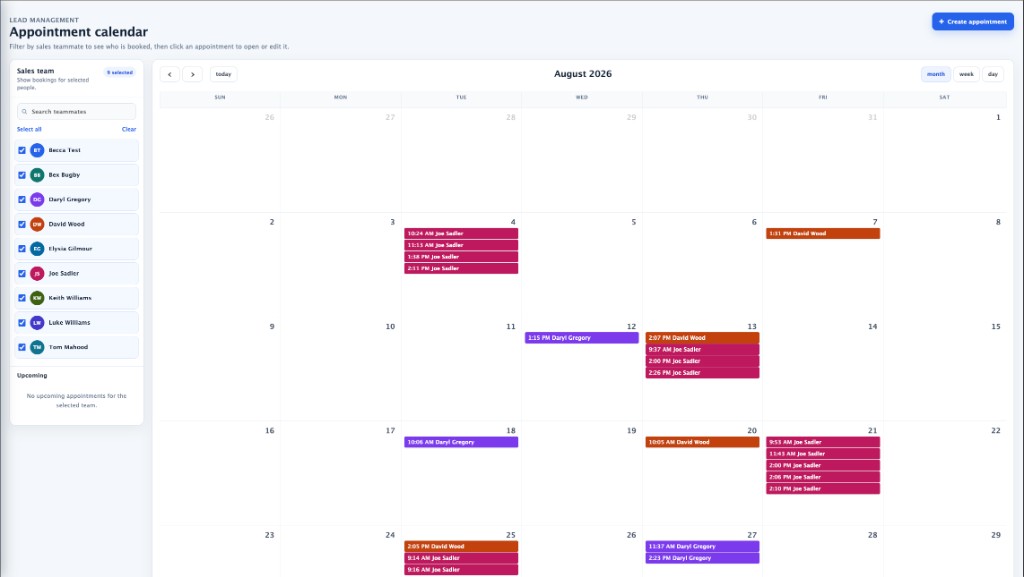
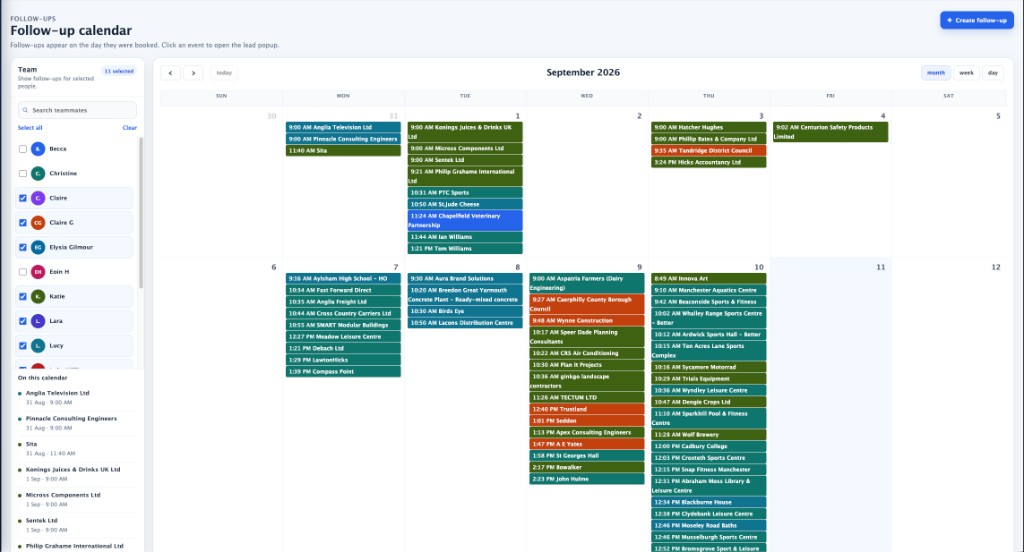
04 · Keep the diary
See who is booked this week. Filter by teammate, open a record from the calendar, and keep follow-ups visible on the day they are due.
In the product

How teams use it
Most teams still split finding, calling, emailing and booking across tools. Dashboard SSPro keeps the lifecycle together so the person who dials can see the last note, the last email, and the next appointment.
Getting started
If the conversation goes well, an admin creates your account and licence.
Use the form on this page. Company, size, and what you want to run.
A person reads the request and talks through how you work today.
When it is a fit, we create the login. You use Client Login from then on.
Sign up
No obligation. We use this to brief the right person. Existing customers should use Client Login.
Sales assistant for Dashboard SSPro